The corner of the tracing paper catches on the keyboard. You slide the keyboard away and lean forward to bring the pencil line into focus. Now you can see the drawing, but looking up at the reference on your monitor means changing position again. Your coffee has migrated to the windowsill, where you’ll remember it an hour from now.
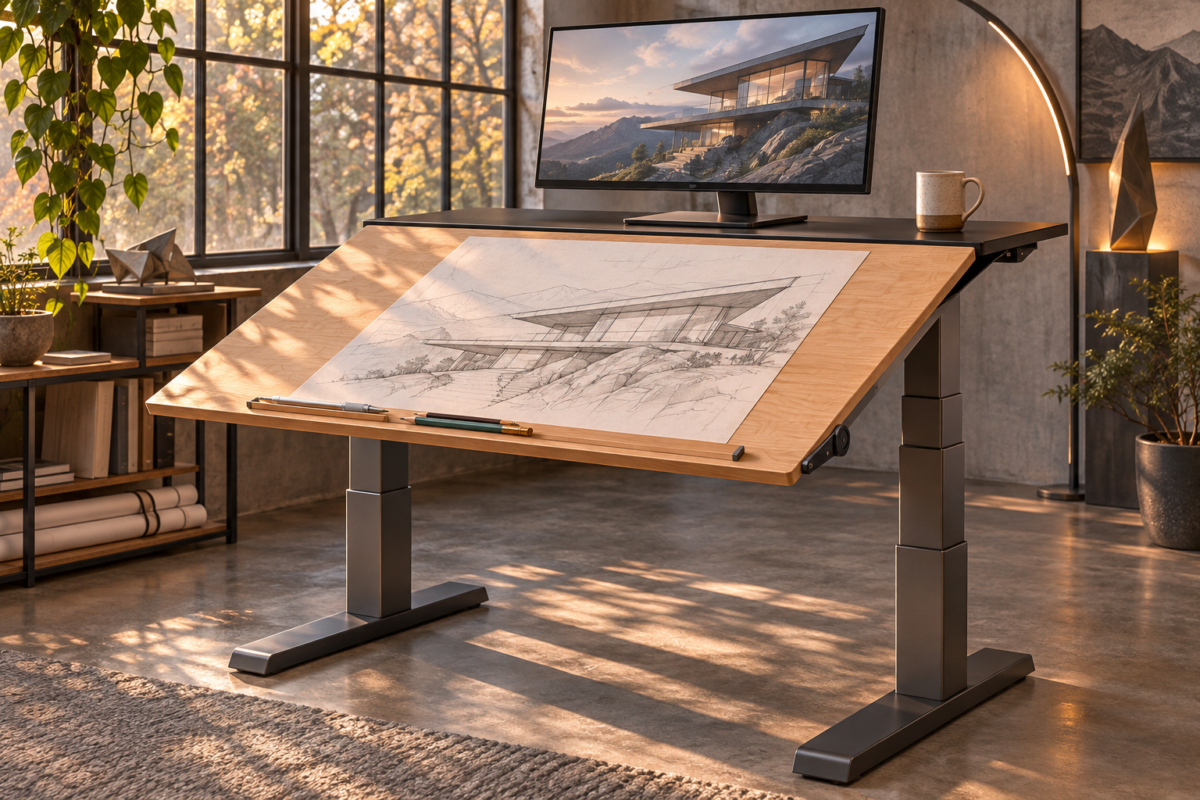
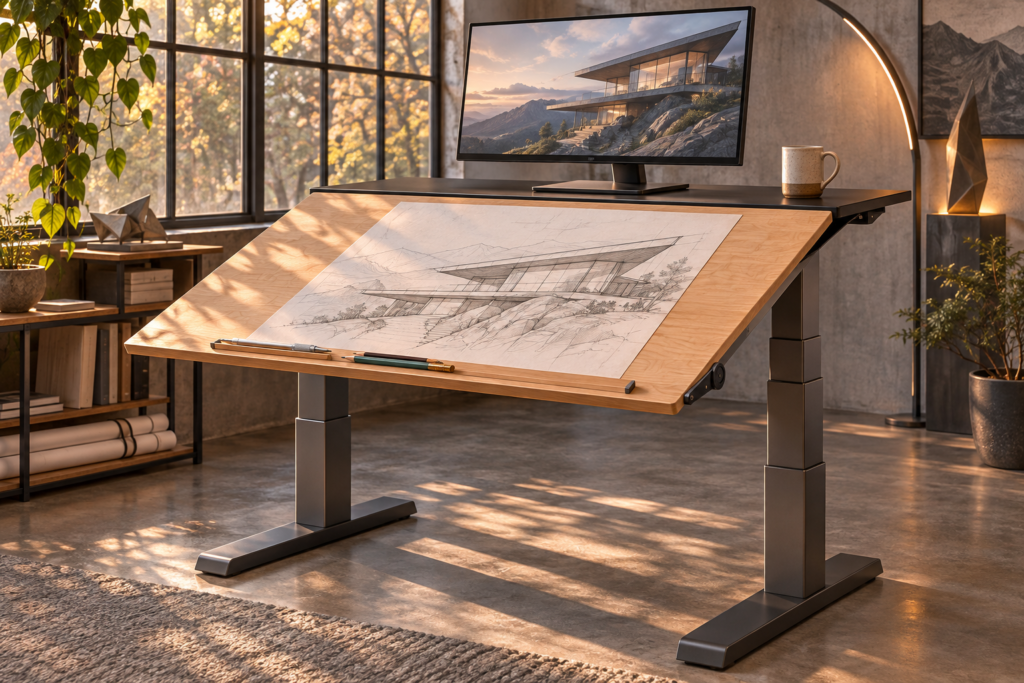
Imagine pressing a control under the desk. The broad maple surface rises at the back, bringing the drawing toward you like a music stand. Behind it, a narrow bridge holding your monitor stays flat. Your drawing and its reference are both in reach. The mug can stay on the bridge.
This is a speculative standing desk concept for a home studio. The front of the desk would change from a flat surface for writing or typing into a tilted drawing board. A separate equipment bridge would stay level through the change. Both could go up or down together when you switch between sitting and standing.
Give the drawing and the equipment different jobs
A steel frame would carry two surfaces. The front would be a wide maple panel, with a pivot close to its front edge and a shallow removable pencil ledge. The rear would be a narrow fixed shelf with a reinforced place for a monitor mount. In flat mode, the front panel would meet the shelf at the same height, with a small seam between them. A keyboard could live on the broad surface for morning email and move to the bridge before the afternoon drawing session.
With a drawing in progress, I’d want to leave the reference exactly where it was. The monitor could remain on its mount while the front panel moves. A strip of clearance behind the moving edge would keep it from reaching the screen or pulling on a cable. The bridge would need enough depth to hold the keyboard temporarily. Otherwise the desk would solve the drawing angle and leave you hunting for a place to put your hands.
I’d give the surface a gentle angle for marking up a print and a steeper one for sketching. The front pivot would keep the lower edge of the drawing close to the user as the back comes up. The pencil ledge could catch a ruler or hold the bottom of a sketchpad. For typing, it would come off so your wrists can rest where you expect.
How the desk would move
The two height columns would raise a shared steel frame. A separate short linear drive under the drawing board would push its rear edge up. A motor-driven screw is one example of a mechanism that can turn rotation into straight travel. The travel would pass through a linkage to rotate the panel around its hinge. In this arrangement the bridge sits on the shared frame and has no hinge of its own. THK’s ball screw overview.
The hinge and linkage would be hidden beneath a guard. I’d want the board to move only while the control was held, and a prototype would need a way to hold its position if power failed halfway. The desk would have to be tested with a person leaning on the front edge and with a monitor arm extended toward one side. Raising a drawing board changes where its weight acts. Extending the monitor moves another part of the load, even when the total weight stays the same.
The motion would need a deliberate pause between modes. Imagine flattening the surface with a pencil in the seam, or raising it with a laptop still open. A clear sightline to the moving edge would help. So would a place to park loose items that stays accessible at every angle. The pleasant version of this desk would let you switch tasks in one small routine, without clearing the whole room.
What to check before buying a frame for a heavy top
From my years in furniture retail, I’d start with the pieces you can measure and weigh. Get the weight of the actual top, then include monitors, arms, speakers, and anything else the frame will lift. Ask the manufacturer how it defines lifting capacity and how it treats accessories and uneven loads. An example frame specification lists lift capacity next to adjustable frame width and base dimensions. Read all three before deciding a frame fits your project. UPLIFT Desk’s V3 T-frame specifications.
Check how far the legs and feet will extend below the top, especially if the desk goes into an alcove. Then check clearance above. At standing height, will the monitor clear the shelf over your desk? Will the power cord still reach without pulling? A lift can have plenty of travel on paper and still run into the corner of a windowsill in the room.
Finally, ask how the top is meant to attach. A thick solid wood slab and a veneered top can call for different fasteners and mounting details. Use the frame maker’s installation instructions and check with the wood supplier or maker if the slab is custom. The imagined tilting desk would require a purpose-built structure. A conventional standing frame can still work well as the base for a flat top with a stable tabletop drawing board.
If the frame maker provides separate limits for top width and depth, check both against the slab before drilling. A top can meet the weight limit and still leave too much material unsupported. I’d also confirm that a rear-mounted monitor arm clears the crossbar and that its clamp can seat flat.
Try a two-surface test before changing the desk
Put a stable adjustable drawing board or angled document stand on your existing desk. Mark out the rear area where your screen and other equipment would stay. Leave the keyboard on the front surface at first and switch between typing and sketching once or twice. Notice what you have to move, where you set it, and whether you can still reach the reference without leaning around the drawing.
Do the same test with the biggest sheet you use regularly. If it pushes your monitor too far away or leaves nowhere to rest your pencil, change the layout before shopping. Tape the usable width and depth on the desk and write them down. Those two numbers will tell you more about which setup fits your work than the outside dimensions on a product page.
Further reading
- THK — Ball screws and integrated linear drives. The component manufacturer describes mechanisms that turn rotary drive into controlled linear movement.
- UPLIFT Desk — V3 T-frame standing desk specifications. This example shows how a manufacturer lists lifting capacity, frame width, height, and foot dimensions together.